ACoS · From a real account
By Marc, Pulse Pilot
·
7 min read
From the team at Pulse Pilot — Amazon PPC software that runs your bids by your rules (Pilot) or fully hands-off (Autopilot).
Peak season, and a made-up number
It’s a familiar story. In the middle of peak season, ACoS gets away from you. Sales are coming in, but ads are eating the profit, and peak season is when you need to bank as much as you can.
So you do what most sellers do: pick a bid ceiling that feels safe and cap everything under it. Ask a month later what the number was, and nobody remembers. That’s the point: it wasn’t based on anything.
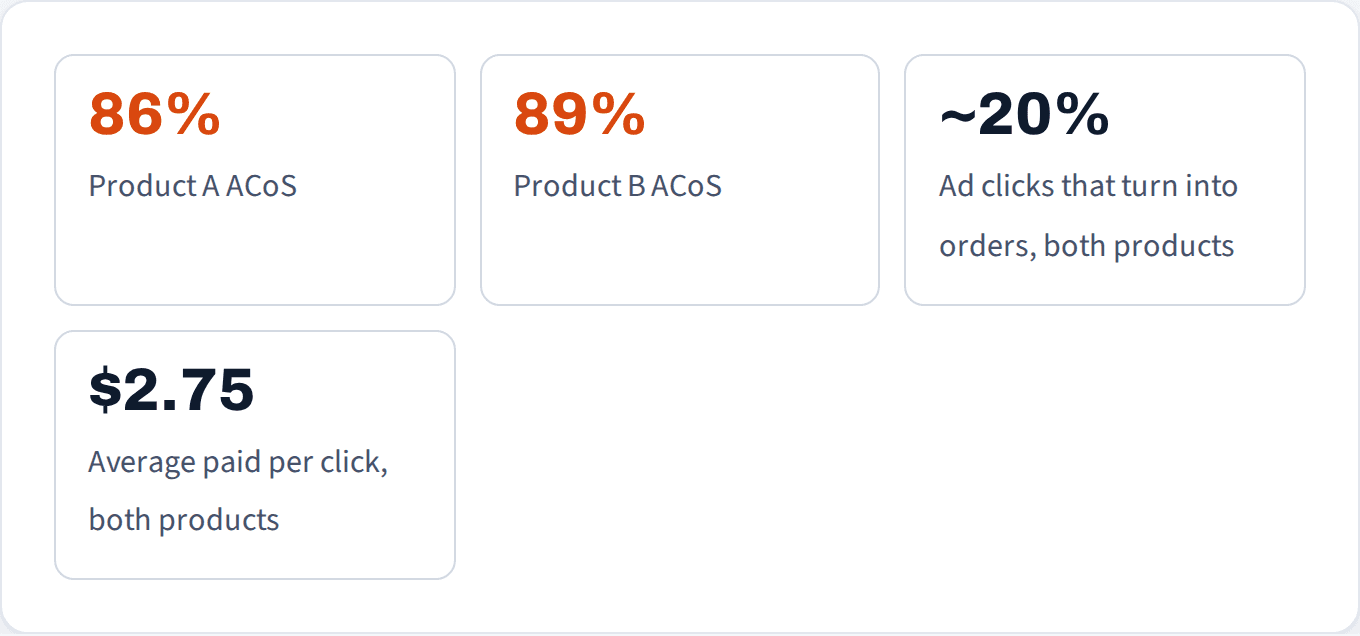
There’s a better way: run two checks before you touch a bid. Here’s how they play out on two products in this account with a high ACoS, over the last 90 days:
Check 1: what can each click afford?
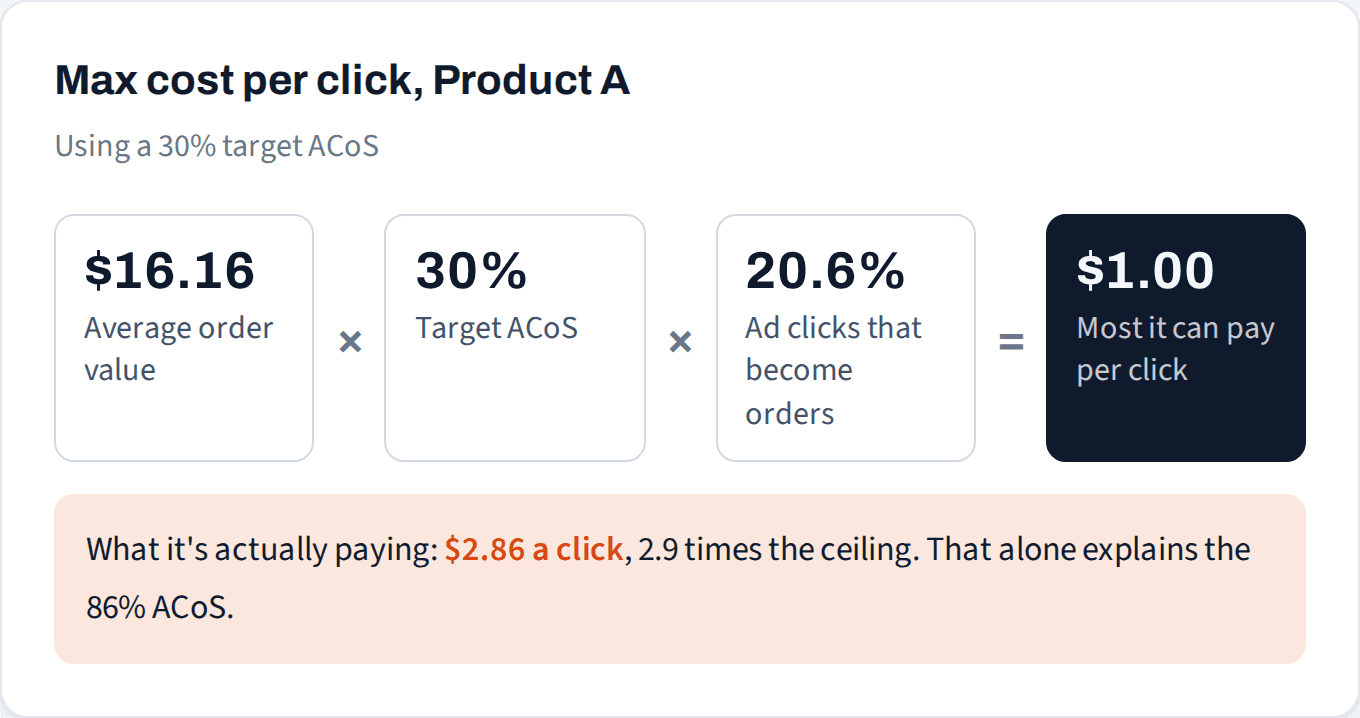
ACoS is just what you pay per click divided by what each click earns you. Flip it around and you get the most you can pay per click and still hit your target ACoS:
Here’s the same math across every product in this account with enough clicks to judge:
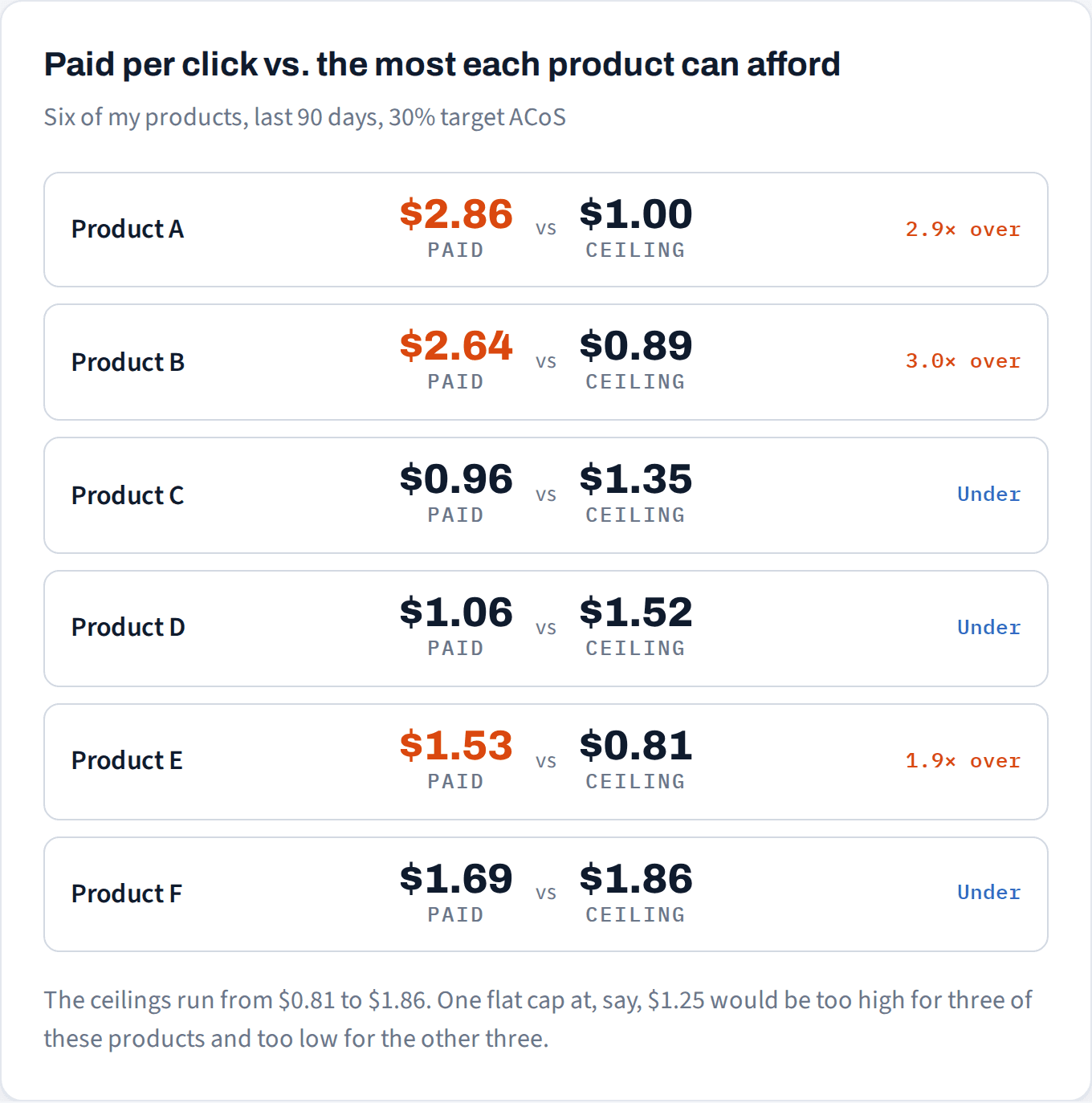
At this point it looks simple: Products A and B are overpaying, so cut their bids to about $1. That’s exactly what the peak-season fix would do.
But the formula has a blind spot. It takes your conversion rate as a given.
Check 2: how does the listing convert next to the market?
A 20% conversion rate sounds healthy. The question is: healthy compared to what? Your own past numbers can’t tell you. What matters is how competing listings on the same shelf convert, and that number isn’t in your ad reports. Pulse Pilot’s market benchmark comes from our own proprietary data and shows it for each product.
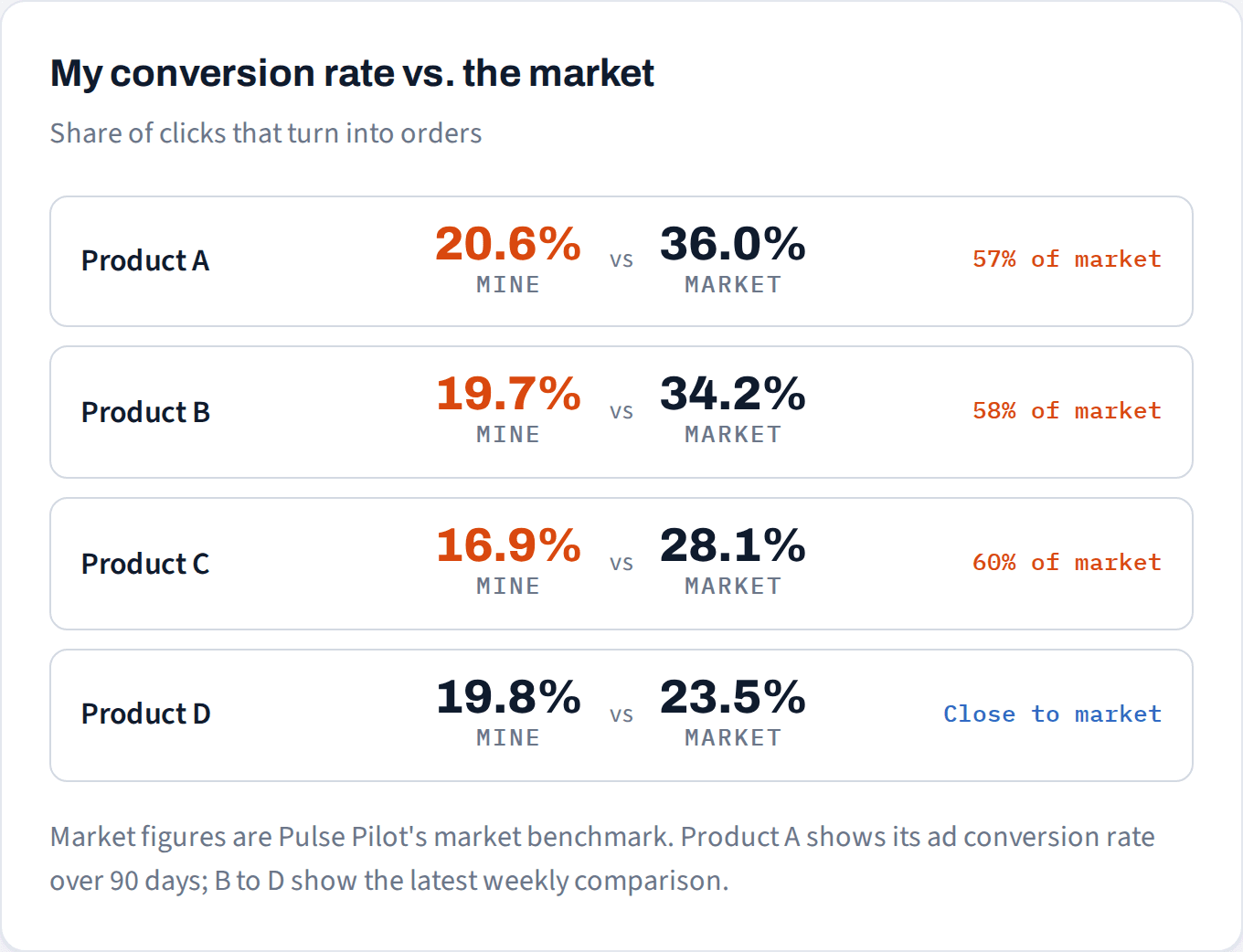
Products A and B convert at roughly half the market. That changes everything about Check 1, because a low conversion rate drags the ceiling down before you’ve touched a bid. Here’s Product A if it converted like the market:

So there are two problems stacked on top of each other. The listing converts at about half the market, and the bids are too high even for a listing that converted well. Cutting bids to $1 fixes the ACoS on paper, but it treats the symptom: the listing still loses most of the shoppers who click, and at $1 the product would likely show up far less.
The right order is listing first, then bids. Fix what’s holding conversion back (price, images, reviews, the offer), which raises the ceiling. Then bring bids down to meet it.
Product C has a lesson too. It’s profitable at a 21% ACoS and under its ceiling, so it would be easy never to look twice. It also converts well below its market. A product that’s “fine” can still be leaving money on the table.
Not sure whether it's your bids or your listing?
We'll compare how your listings convert with the market and show you which searches cost more than they can earn.
No credit card
Ads access only
Changes nothing in your account
What to check before touching a bid
Work out the ceiling.
Average order value × target ACoS × conversion rate. Do it per product, and per keyword once a keyword has enough clicks. One account-wide cap is a guess.Set the target from your margin.
Break-even ACoS is what you keep from a sale before ad spend, as a share of the price. Sell for $25 and keep $8 after product cost, fees and shipping, and break-even is 32%. Your target sits below that.Compare conversion to the market.
Well below market means the listing, price or offer is the problem, and cutting bids will shrink sales without fixing it. At or above market means it really is a bidding problem.Then change bids, and write down why.
Whatever you change, note the before, the after and the reason, so in two weeks you know what actually worked.
How to check this faster
Pulse Pilot shows each product’s conversion next to its market benchmark with a plain verdict, so you know whether you’re looking at a listing problem or a bidding problem before you change anything. Every change, whether from your own rules or from Autopilot, goes in a log with the before, the after and the reason.

It’s one flat price, not a cut of your ad spend, so it has no reason to tell you to spend more.