Placements · Bidding
By Marc, Pulse Pilot
·
4 min read
From the team at Pulse Pilot — Amazon PPC software that runs your bids by your rules (Pilot) or fully hands-off (Autopilot).
When ACoS climbs, most sellers go straight to the keywords: lower this bid, pause that one. Sometimes the keywords are fine. The problem is where the ads are showing.
The three places your ad can show
Every Sponsored Products click comes from one of three placements:
Top of search: the first row of results on page one.
Rest of search: everywhere else on the results pages.
Product pages: on other products’ detail pages, under “related products” and similar spots.
A shopper on a search page is looking for something like yours. A shopper on someone else’s product page has usually already found what they want. That difference shows up in the conversion rate, and you pay for the click either way.
From a real account: 30 days, split by placement
Here’s one of our own accounts: $2,089 of ad spend over 30 days.
Top of search: 13% of the spend, 23% of the sales. 27.4% conversion rate, 25% ACoS.
Rest of search: 46% of the spend, 45% of the sales. 21.9% conversion rate, 46% ACoS.
Product pages: 41% of the spend, 32% of the sales. 13.8% conversion rate, 57% ACoS.
The best-converting placement got the smallest slice of the budget. And it wasn’t the expensive one: in this account, top-of-search clicks averaged $1.58, cheaper than product pages at $1.75.

Same account, same keywords, three very different results.
Same product, two placements
The account average hides how big the gap can get. Take Product D, over the same 30 days:
Top of search: 65 clicks, 15 orders. 23.1% conversion rate, 25% ACoS.
Product pages: 86 clicks, 5 orders. 5.8% conversion rate, 131% ACoS.
Same product, same listing, same 30 days. At its top-of-search conversion rate, those 86 product-page clicks should have brought in about 20 orders. They brought in 5. Product pages took more of Product D’s money ($149) than top of search did ($95), and returned less than a third of the sales.
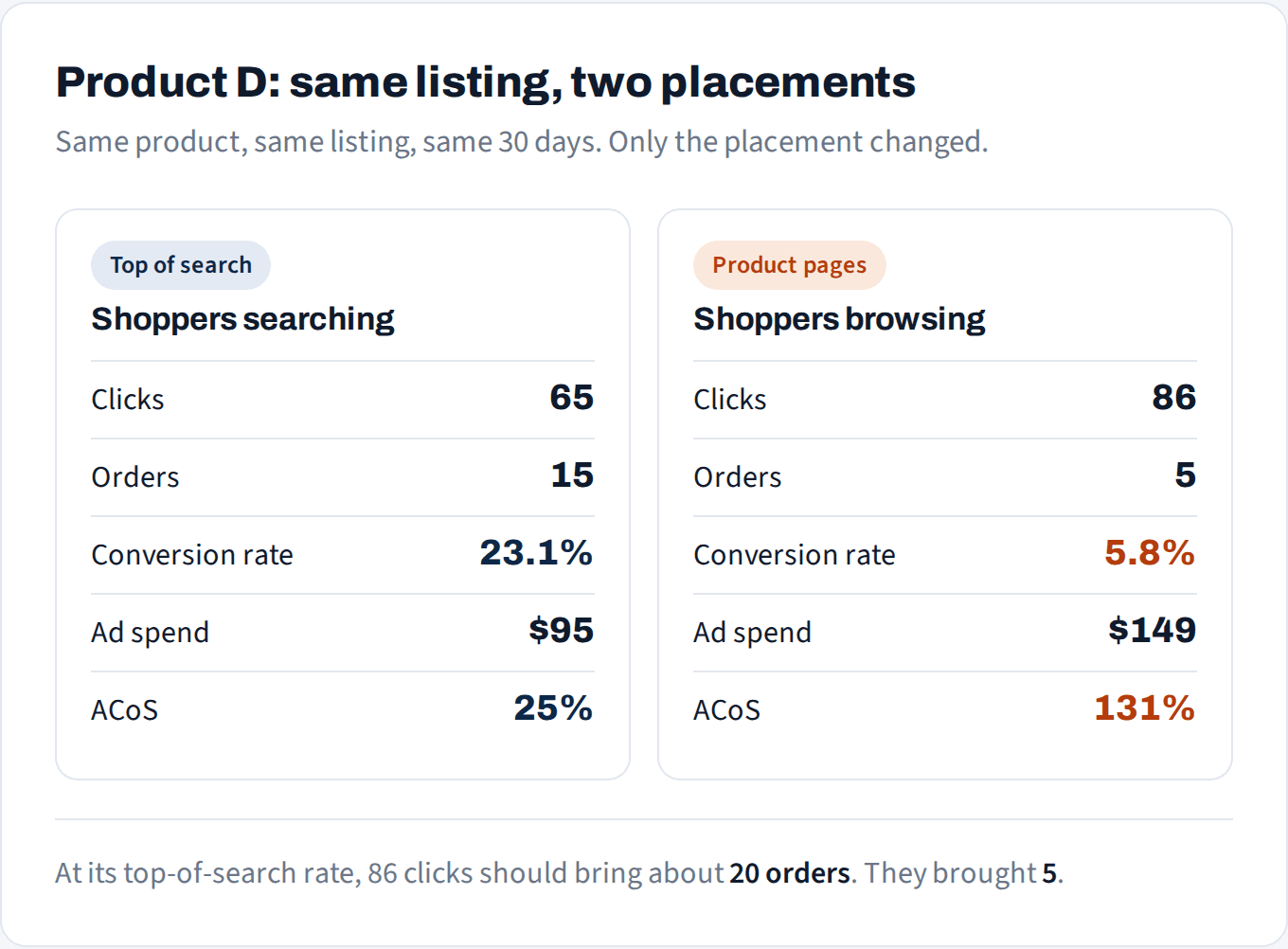
The listing didn't change. The placement did.
Why ACoS can rise with no bid change
Placement is a mix, and Amazon moves the mix on its own. If more of your clicks drift to product pages this month, your blended conversion rate falls and ACoS rises, even if you didn’t touch a single bid. Before you cut keyword bids, check whether the placement mix shifted.
Not sure which placements are eating your budget?
We'll show you where your clicks convert and where they cost more than they earn.
No credit card
Ads access only
Changes nothing in your account
The 3 checks
1. Judge placements by conversion rate, not cost per click. A cheap click that doesn’t buy is the expensive one. Compare each placement’s conversion rate with the others in the same campaign.
2. Wait for enough clicks. Placement numbers get noisy fast, because each campaign’s clicks are split three ways. A placement with 15 clicks hasn’t told you anything yet. Make the call on the placements with real volume.
3. Compare two windows. If ACoS jumped, put this month’s placement mix next to last month’s. If product pages took a bigger share, that’s your answer, not the keywords.
How to shift spend between placements
Amazon’s placement adjustments only raise bids. You can’t bid less on product pages directly, so you shift the balance instead:
Raise the top-of-search adjustment on campaigns where top of search converts best.
Lower the base bid a little at the same time, so product pages and rest of search pay less while top of search stays competitive.
Move in steps and give each change a week. Sales attribution takes up to 7 days, so a change judged after 2 days misleads you.
The exception: if a product converts better on product pages (some accessories and add-ons do), do the opposite. Let the numbers decide, not the rule of thumb.
How to do this in Pulse Pilot
Placement Performance page: spend, conversion rate and ACoS for top of search, rest of search and product pages on every Sponsored Products campaign, side by side, with filters to find the placements that convert worst.
Change placement adjustments from 0 to 900% on that page or the Campaigns page, one campaign or in bulk. The change goes straight to Amazon.
Rules with an “Adjust placement bid (%)” action for Sponsored Products campaigns, so placement changes follow your conditions instead of a monthly check-in. Every change is logged with the before and after.
Autopilot and Copilot raise the top-of-search adjustment on Sponsored Products campaigns that have proven themselves, if you’d rather not manage placements yourself.